QR codes
QR codes that sell
Every product, every bundle and your page get a print-ready QR code. Someone scans it, pays and downloads, with no app and no account, and you see which sales came from a scan.
- Free with every link
- Print-ready PNG
- Scans tracked separately
One code for a product, a bundle or everything
Open the share sheet on anything you sell, or the Share button on your page, and the code is there to download.
One product
A QR for each link
Opens the item’s own page: the preview, the price and the pay button. Put it beside the thing it sells.
A bundle
A QR for each collection
Opens a bundle of items sold as one. One code on a sign for “the whole set”.
Everything
A QR for your page
Opens your storefront: your links, everything you sell, free posts, tips and email sign-up.
Scan, pay, download
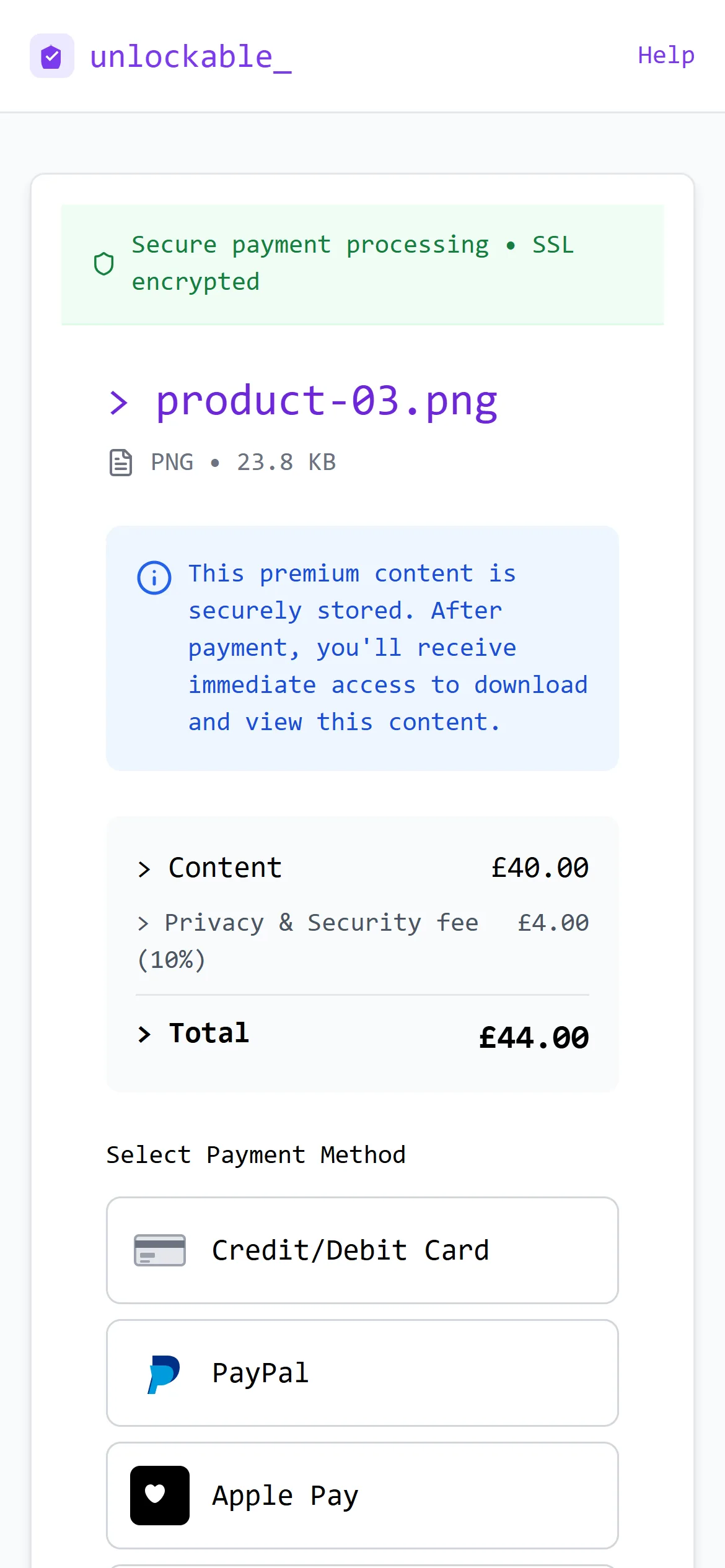
The phone's camera opens the item in the browser. There's nothing to install and no account to make, and the file opens on the same page once it's paid for.
- 01
Scan
Any phone camera reads it.
- 02
Pay
Card, PayPal, Apple Pay or Google Pay.
- 03
Download
Right there, with a receipt by email.
- Credit and debit cards
- PayPal
- Apple Pay
- Google Pay
Anywhere a link can't be tapped
QR codes sell best where people already are, holding their phone, with no way to click.
- Merch tables
- Gig and event posters
- Market stalls
- Business cards
- Flyers
- Gallery walls
- Product packaging
- Workshop slides
- Album sleeves
- Shop windows
- Stories, for scanning from another phone
- Printed photos and zines
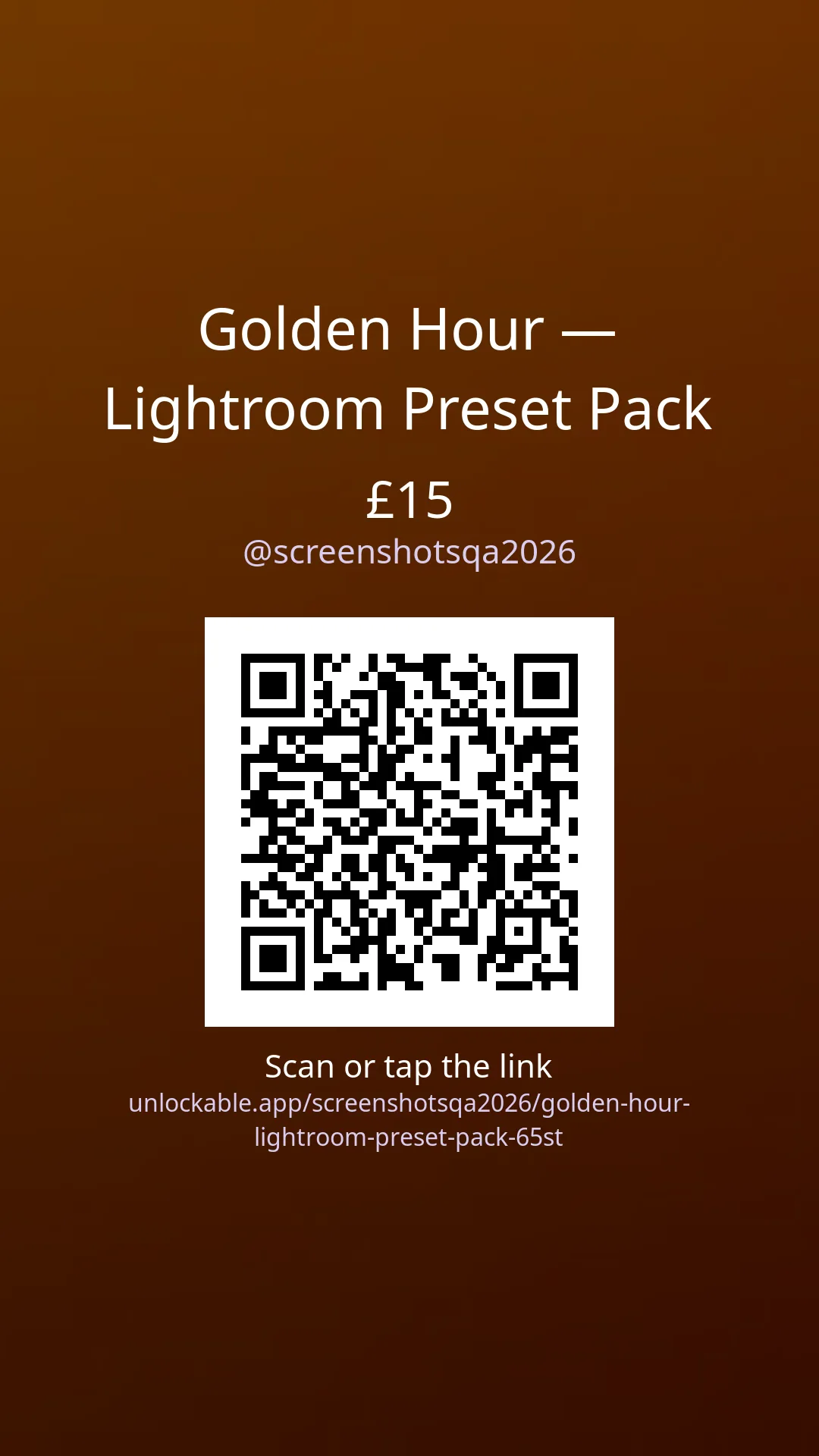
The code is on your story images too
Each item's 9:16 story and 1:1 post image carry its QR code, so someone watching on a laptop or a friend's phone can scan it straight off the screen.
Tracking
Know which sales came from a scan
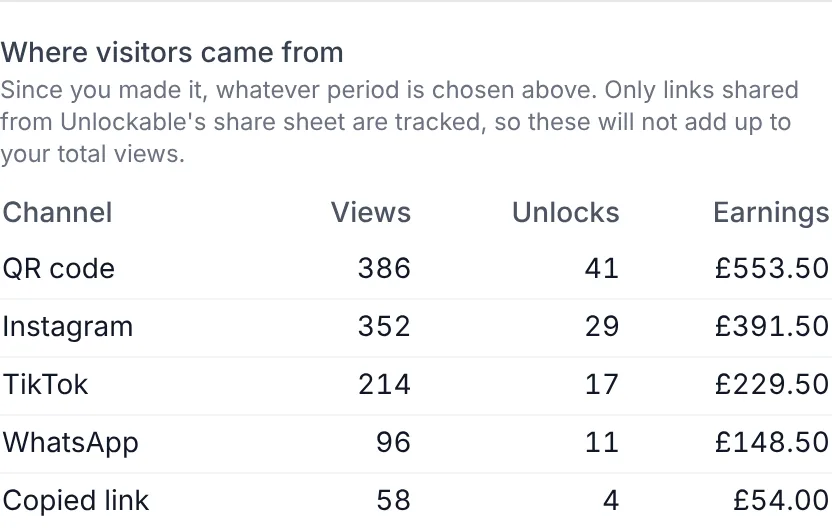
Every code carries a tag, so a scan is counted apart from a tap. Each item shows the views, unlocks and earnings that came from its QR code, next to Instagram, TikTok and WhatsApp. You'll know whether the poster paid for its printing.
- Views, unlocks and earnings per channel
- A 7-day, 30-day and all-time view
- Conversion: how many views became sales
Print it once. Change everything behind it.
The code opens the link's address, and the link is yours to change after the posters are up.
Change the price
Or run a sale with an end date. The code doesn’t change.
Print before the release
Schedule a drop. Until then, a scan shows “coming soon” and an email-me button.
Rename the address
The old address keeps working and sends people on to the new one.
Stop when you want
Pause a link, or end it by date, views or unlocks. A scan then says it’s no longer available.
Built for print
- Black on white with a quiet zone, the way every phone camera reads best
- Medium error correction, so a crease or a smudge still scans
- A PNG about 800px square, sharp at several inches wide
Free until you sell
The codes are free, and so is the page they open. Unlockable takes 10% of a sale and covers card processing; your buyer pays a 10% fee on top. A $10 sale leaves you $9.
A code for something else?
Our free QR code generator makes a code for any address, with your colours and logo, right in the browser.
Questions
Do the QR codes cost anything?
No. Every link, collection and creator page gets its QR code for free, and there is no monthly fee. Unlockable takes 10% when something sells, and your buyer pays a 10% privacy and security fee on top: a $10 sale leaves you $9.
Does an Unlockable QR code expire?
The code itself never expires. It opens your link’s address, so it works for as long as the link does. If you set a link to end on a date or after a number of views or unlocks, or pause it, a scan shows that it is no longer available.
Can I change what the code sells after I print it?
You can change the price, put it on sale, schedule a release, rename its address or pause it, all without reprinting. A renamed link’s old address keeps working. The code always opens the same item, so print a new one for a different product, or use your page’s code.
Can I see how many sales came from a scan?
Yes, for each item. Scans are tagged, and the item’s stats show views, unlocks and earnings from “QR code” next to Instagram, TikTok, WhatsApp and the rest under “Where visitors came from”.
Do buyers need an app or an account?
No. The phone camera opens the item’s page in the browser. Buyers pay by card, PayPal, Apple Pay or Google Pay, and the file opens on the same page.
Can I add my logo or colours to the code?
Codes from the app are always black on white, because that is what scans most reliably in poor light. If you want a branded code for another address, our free QR code generator adds colours and a logo.
Put a price on a QR code
Upload a file, set a price and download its code. Free until it sells.